Nobl9 application (1.177.0)
Release details
new Filter and search SLOs by data source metadata
SLO list and grid now provide richer filtering and search capabilities based on data source metadata.
In the SLO list, filters are now grouped into four categories:
| Category | Filter | Status |
|---|---|---|
| SLO profile | SLO type Project Service Labels Agent version | |
| SLO review | SLO review status Reviewed within Responsible | |
| Error budget status | Error budget status | |
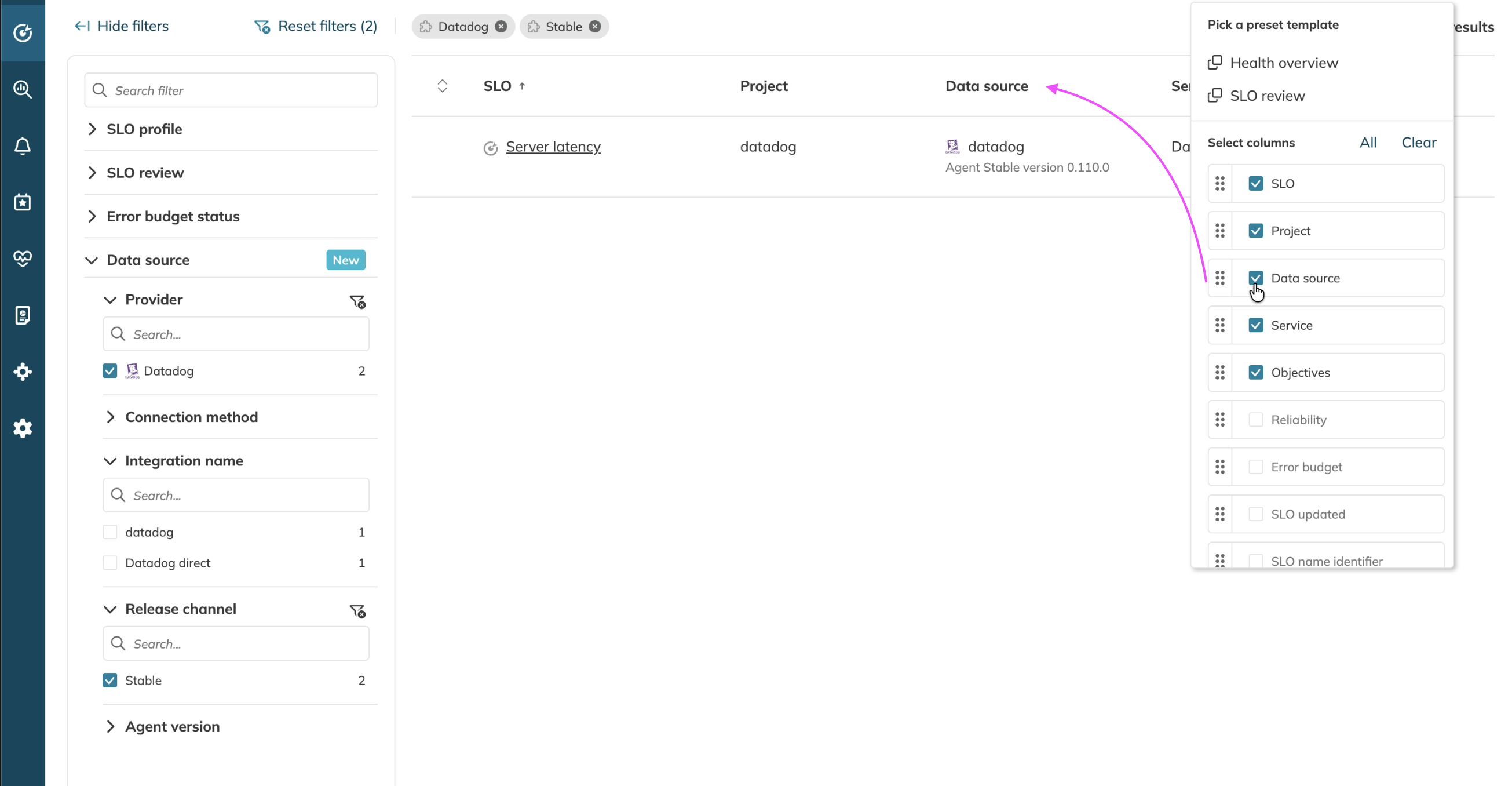
| Data source | Integration type (provider) Data source name Connection method Release channel Agent version | new filters |
In Data source, the status marks the category that includes newly added filters.
The SLO list also includes a new Data source column that displays the data source name (or display name), along with its connection method (Agent or Direct) and release channel. You can enable this column in the My view preset, and its full content is included in CSV export together with the rest of the selected columns.
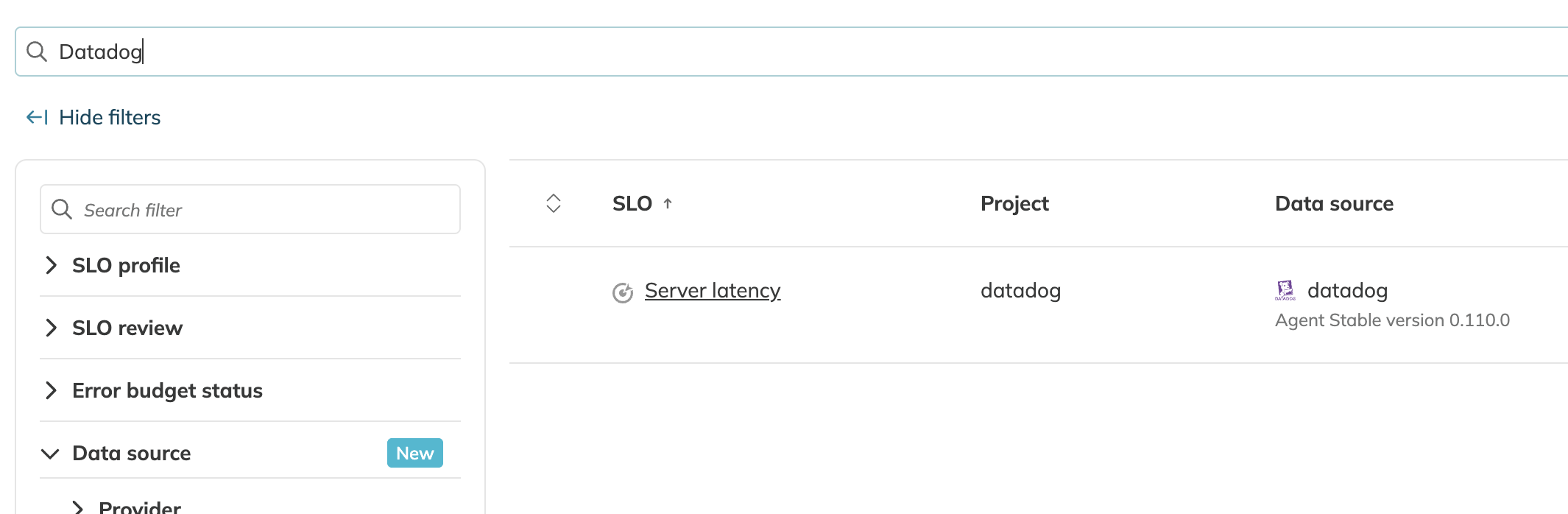
You can also search SLOs in both the SLO list and SLO grid using data source metadata values, making it easier to find the exact SLOs across mixed integrations and connection types.
improved Return to the same SLO in Reliability Roll-up
Navigation between Reliability Roll-up reports and SLO details is now smoother. When you open an SLO from the Reliability Roll-up and then return to the report, the view automatically scrolls to that same SLO in the drill-down tree.