Nobl9 application (1.188.1)
- Resource center
- Event Logs for Splunk Observability
- Global project scope for reports
- MCP tools for Organization status
- MCP documentation search tool
Release details
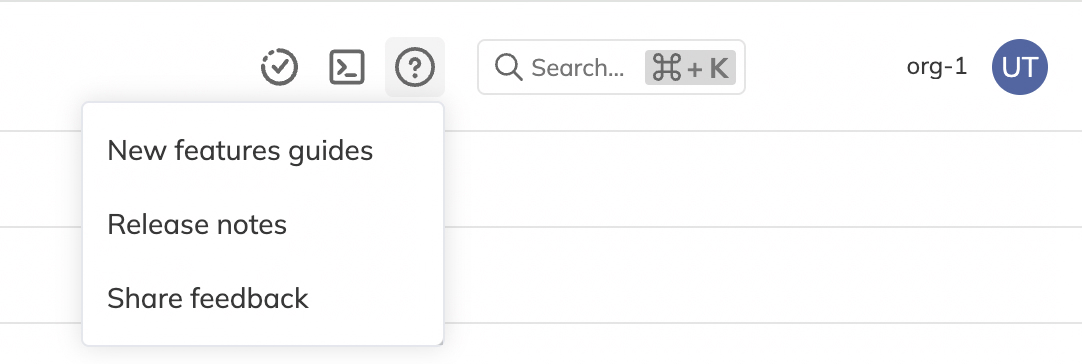
new Resource center
The Resource center is available in the top navigation and gives users quick access to Nobl9 announcements and feature guides.
new Event Logs for Splunk Observability
Event Logs are now available for Splunk Observability direct data sources.
The Logs tab and Activate logs action are available for Splunk Observability data sources, and the API accepts enabling log collection for them.
new Global project scope for reports
Reports can now be scoped to all current and future projects.
Users with organization-wide project access can select a global project scope so a report automatically includes every project in the organization, including projects created after the report is configured.
Learn more in Creating reports.
spec.filters.projectScope: all in a kind: Report definition and omit explicit project, service, and SLO filters.new MCP tools for Organization status
The Nobl9 MCP server now exposes read-only tools for Organization status information:
getOrganizationStatusreturns the component tree with computed status and ongoing disruptions.listStatusPageDisruptionsreturns open and cleared disruptions.
MCP clients can use these tools to answer status questions such as whether anything is currently down for an organization.
new MCP documentation search tool
The Nobl9 MCP server now exposes a read-only searchDocs tool.
MCP clients can search the official Nobl9 documentation and return matching pages with titles, links, and snippets, helping assistants answer how-to and conceptual questions with links to docs.nobl9.com.
improved Splunk Observability query validation
The SLO query checker now validates Splunk Observability queries on the beta release channel.
Invalid SignalFlow programs are reported on the SLO Details screen with the error returned by Splunk Observability. Splunk Observability is also available to every organization by default.