Nobl9 application (1.201.0)
- Good over total anomaly detection
- Replay for composite SLOs
- Reporting tools for MCP clients
- SLI Analyzer tools for MCP clients
- Zscaler integration (beta)
- User access key administration

Release details
new Good over total anomaly detection
Good over total anomaly detection checks live data. It identifies intervals where good event counts exceed total event counts in ratio SLOs configured with good and total count metrics, helping you find mismatched queries or inconsistent source data.
For incremental metrics, detection accounts for delayed good events that catch up with an earlier total count within a one-minute window by default.
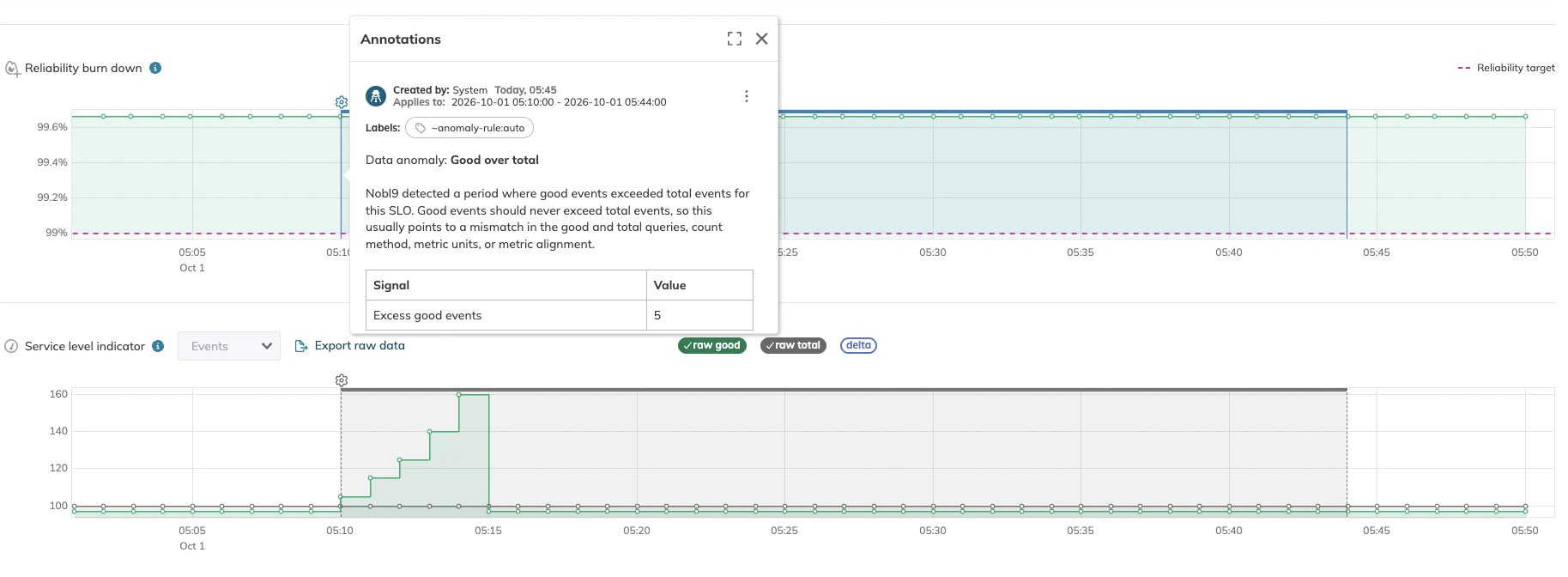
See Good over total anomaly for detection behavior and troubleshooting guidance.
new Replay for composite SLOs
You can now replay composite SLOs to recalculate their error budgets for a selected period using their component SLOs' existing historical data.
Select Include historical data in the Budget step when creating a composite SLO, or choose Run Replay from an existing composite SLO's details page. Use Replay to populate a new composite's history or refresh it after replaying a component, adjusting a component's past error budget, or changing the composite's configuration.
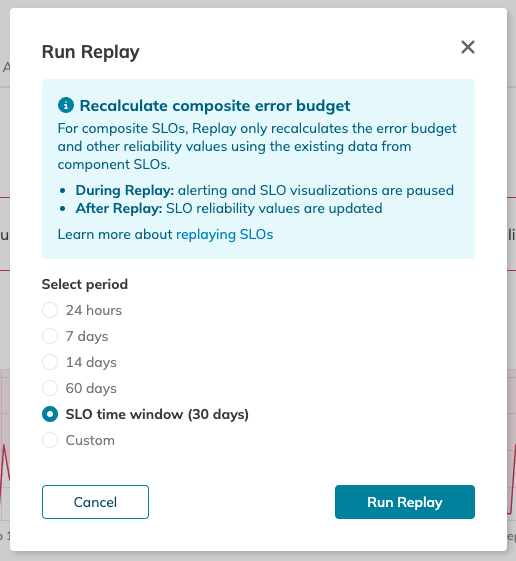
See Replaying composite SLOs for instructions.
new Reporting tools for MCP clients
Nobl9 MCP clients can now retrieve resource usage summaries and Reliability Roll-up data for saved reports or ad hoc report definitions. Ad hoc roll-ups are calculated without saving or updating a report.
By default, both roll-up tools return the folder hierarchy and scores without individual SLO entries. Set view: "full" to include individual SLOs.
See the MCP tool list for reporting capabilities.
new SLI Analyzer tools for MCP clients
Nobl9 MCP clients can now manage SLI analyses, inspect their status and results, and generate SLO YAML templates from completed calculations. The generated YAML includes placeholders to complete before applying the SLO.
See the MCP tool list for available SLI Analyzer operations.
new Zscaler integration (beta)
Connect Zscaler Digital Experience (ZDX) to Nobl9 using an Agent or Direct connection in the Beta release channel. Create threshold SLOs from application ZDX scores and page fetch times, device Web Probe timings and availability, or CloudPath latency and packet loss. The integration also supports historical data retrieval with Replay and SLI Analyzer.
In Nobl9 Web, the Zscaler SLO form provides searchable suggestions for applications, locations, probes, and CloudPath segments. Device ID remains a manual input, and IDs in YAML and API definitions remain integers.
See Add Zscaler data source for setup instructions and Create Zscaler SLOs for supported metrics and query configuration.
new User access key administration
The new All user access keys tab in Settings is available only to Organization Admins and lets them view and manage user access keys across the organization. The list shows keys belonging to active users, including inactive and expired keys, with owner details, client IDs, descriptions, statuses, and creation and expiration dates.
Search by owner name, email, or client ID, filter by key status, and sort by creation or expiration date. Export as CSV downloads all keys matching your search and filters. Key secrets are not shown or exported.
Organization Admins can enable, disable, or delete keys. Disabling and deleting require confirmation; expired keys cannot be enabled.