Nobl9 application (1.207.1)
- Organization ID in API key details
- Prometheus API queries with no matching SLOs
- Composite SLO component filters in the Prometheus API
Release details
new Replay list
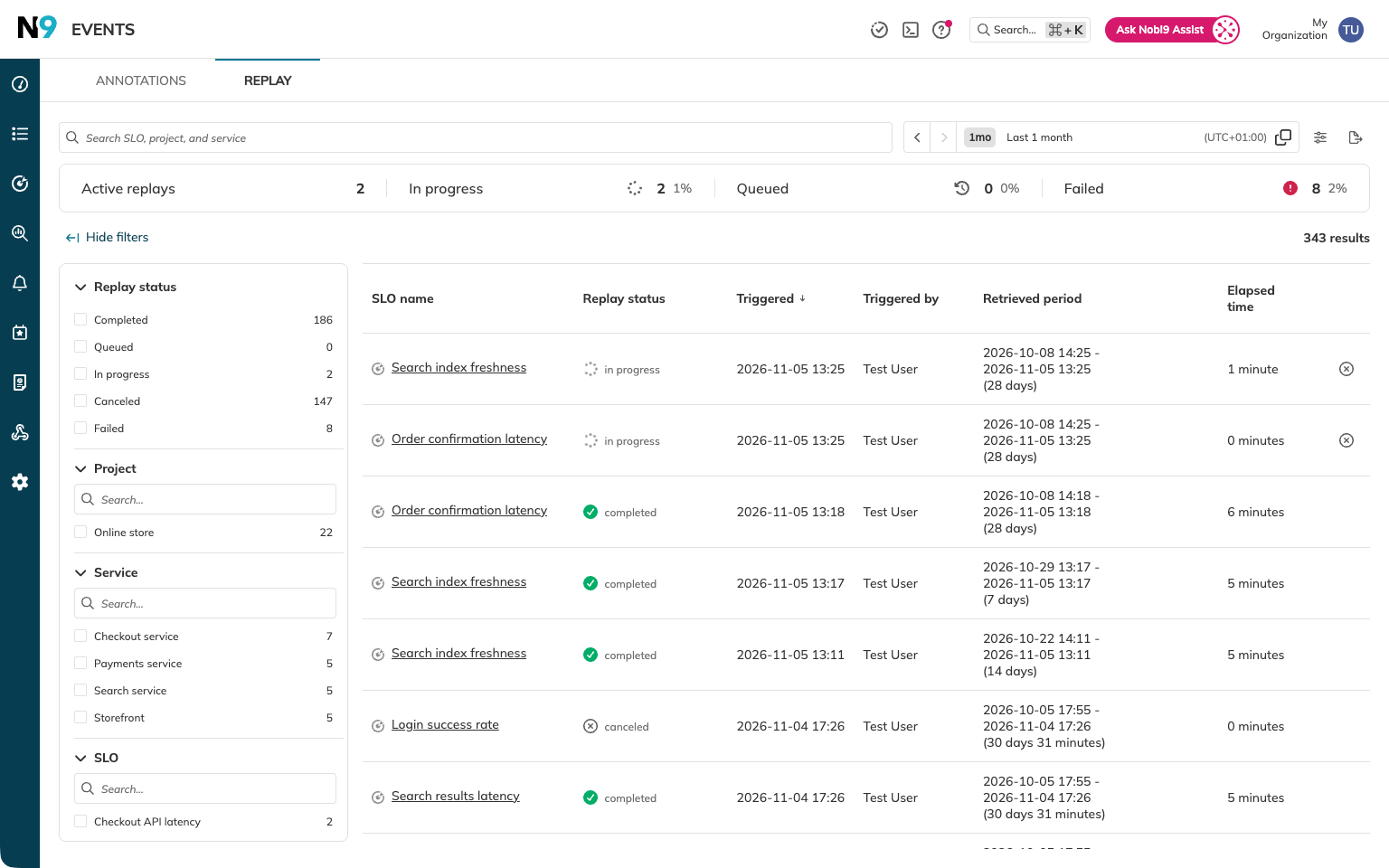
You can now track Replays in the Replay list under Events > Replay. The list brings together queued, in-progress, completed, failed, and canceled Replays across your organization.
Search by SLO, project, or service name, and narrow the list by time range, Replay status, project, service, SLO, or who triggered the Replay. You can sort the table, choose which columns to display, and export matching results as CSV.
With the required project permissions, you can also cancel a Replay that is importing data or remove a queued Replay directly from the list.
new Saved sessions in Nobl9 Assist
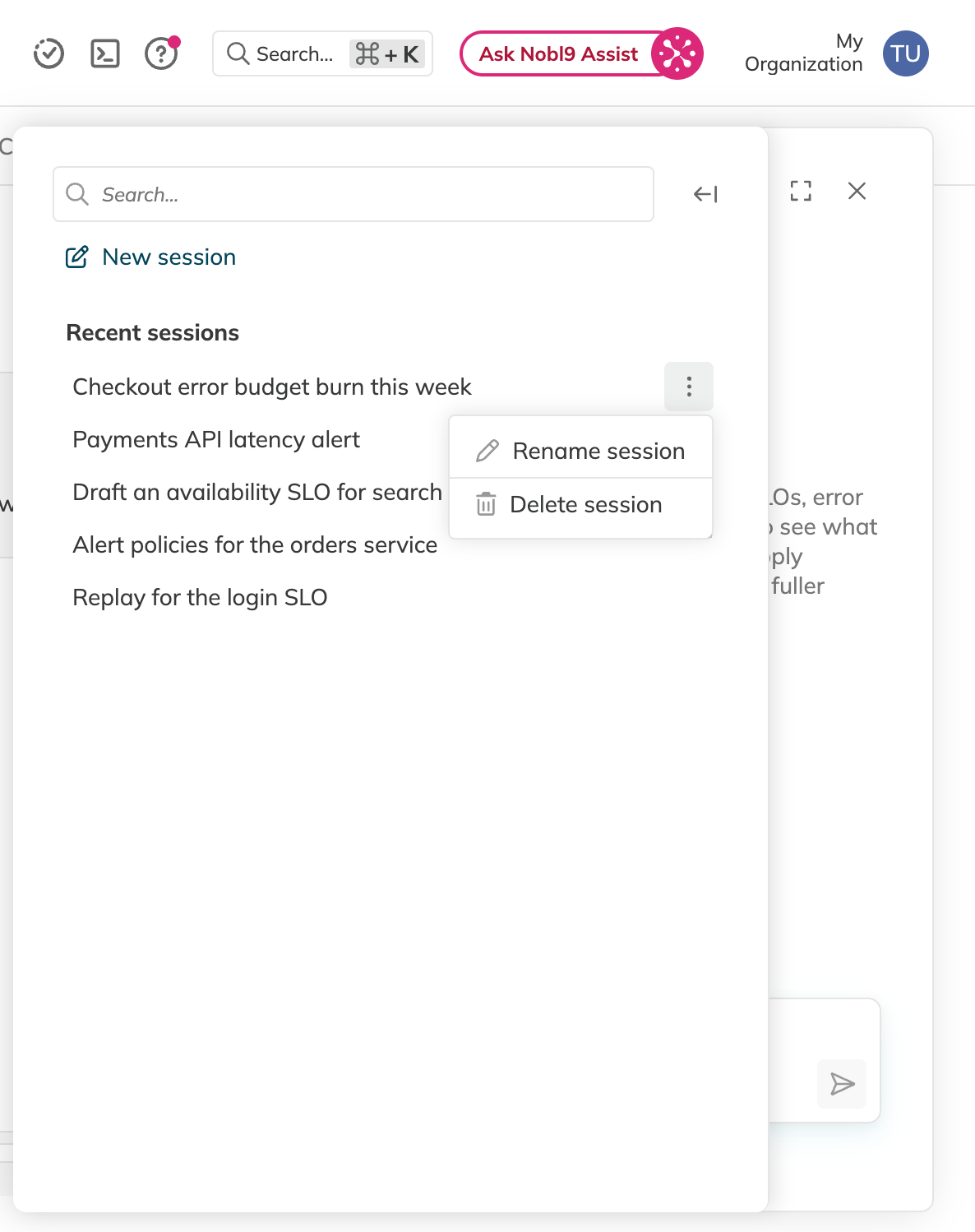
Your conversations with Nobl9 Assist are now saved as sessions. Open the session list in the Assist panel to reopen, rename, or delete an earlier session.
An answer keeps running when you close the panel or reload the page. You can return to it from the session list and continue the conversation.
improved Test metric support for Datadog
Test metric now supports Datadog. With Nobl9 agent 0.116.0-beta or later, you can preview raw SLI data before saving your SLO.
fixed Organization ID in API key details
The API key details modal now shows Organization ID, the value required to configure sloctl, instead of the organization display name.
fixed Prometheus API queries with no matching SLOs
In the Prometheus API for SLO time series, a query whose selector matches none of your organization's SLOs now returns an empty result. Using absent() with such a selector preserves the labels specified in the selector.
fixed Composite SLO component filters in the Prometheus API
Filtering a composite SLO by component in the Prometheus API for SLO time series now returns only the components that match the filter. The results also show the correct component project names.