Nobl9 application (1.172.0)
· 2 min read
We've just released Nobl9 1.172.0! Release highlights:
new
improved
keep up to date!
Keep tracking the latest changes in Nobl9 and subscribe to our Application RNs RSS Feed Release details
new Export SLO list as CSV
You can now export the SLO list as a CSV file for easier reporting, sharing, and offline analysis. The exported CSV reflects your current SLO list configuration, including:
- Applied filters
- Displayed columns
To export the list, go to Service Level Objectives, switch to the SLO list, and click 
 next to the column customization menu.
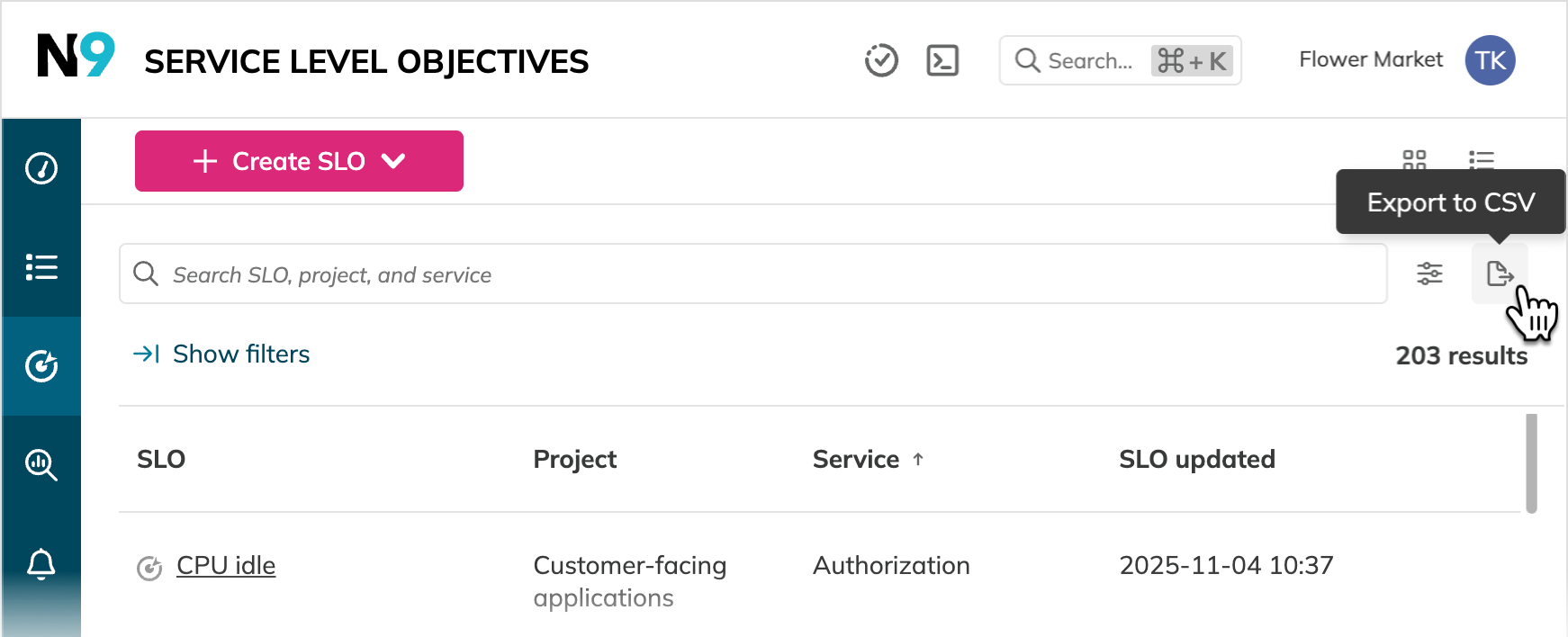
Use CSV export to turn filtered SLO oversight views into shareable snapshots. After drilling down from the SLO oversight dashboard, you can export the required SLO list and use it for follow-up, reporting, or team handoffs.
improved Preview SLOs in Reliability Roll-up reports
Investigating reliability issues in the Reliability Roll-up report is now faster. In the Reliability drill-down tree, you can hover over an SLO name to preview its reliability burn down chart without leaving the report.
From the preview, you can also copy the link to the SLO or open its details page for deeper analysis.
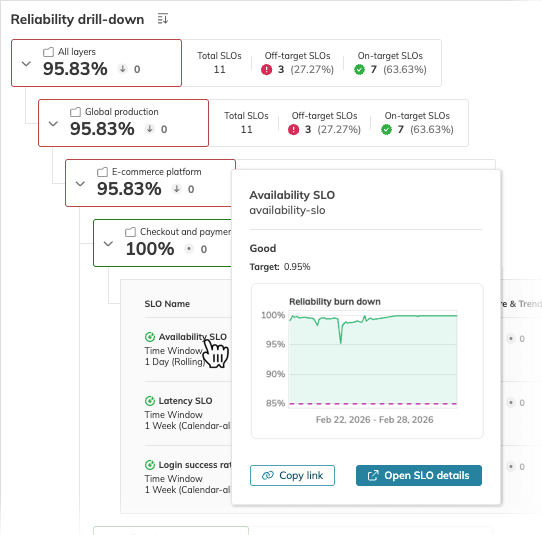
Use SLO preview in the Reliability Roll-up report to investigate under-performers faster and jump directly to SLO details page only when deeper analysis is needed.