Nobl9 application (1.164.0)
Release details
new Moving SLOs between services in the same project
Organizing your SLOs just got more flexible. You can now move SLOs between different services within the same project, just as you already could between projects.
This gives you more flexibility to restructure your SLOs as your services evolve. Because the SLO's unique link remains unchanged, this move won't break any alerting or resource definitions that rely on it. Access permissions also remain intact.
Keep in mind that this action can affect reports that are filtered by the SLO's original or new service. The SLO will also inherit the review settings of its new service.
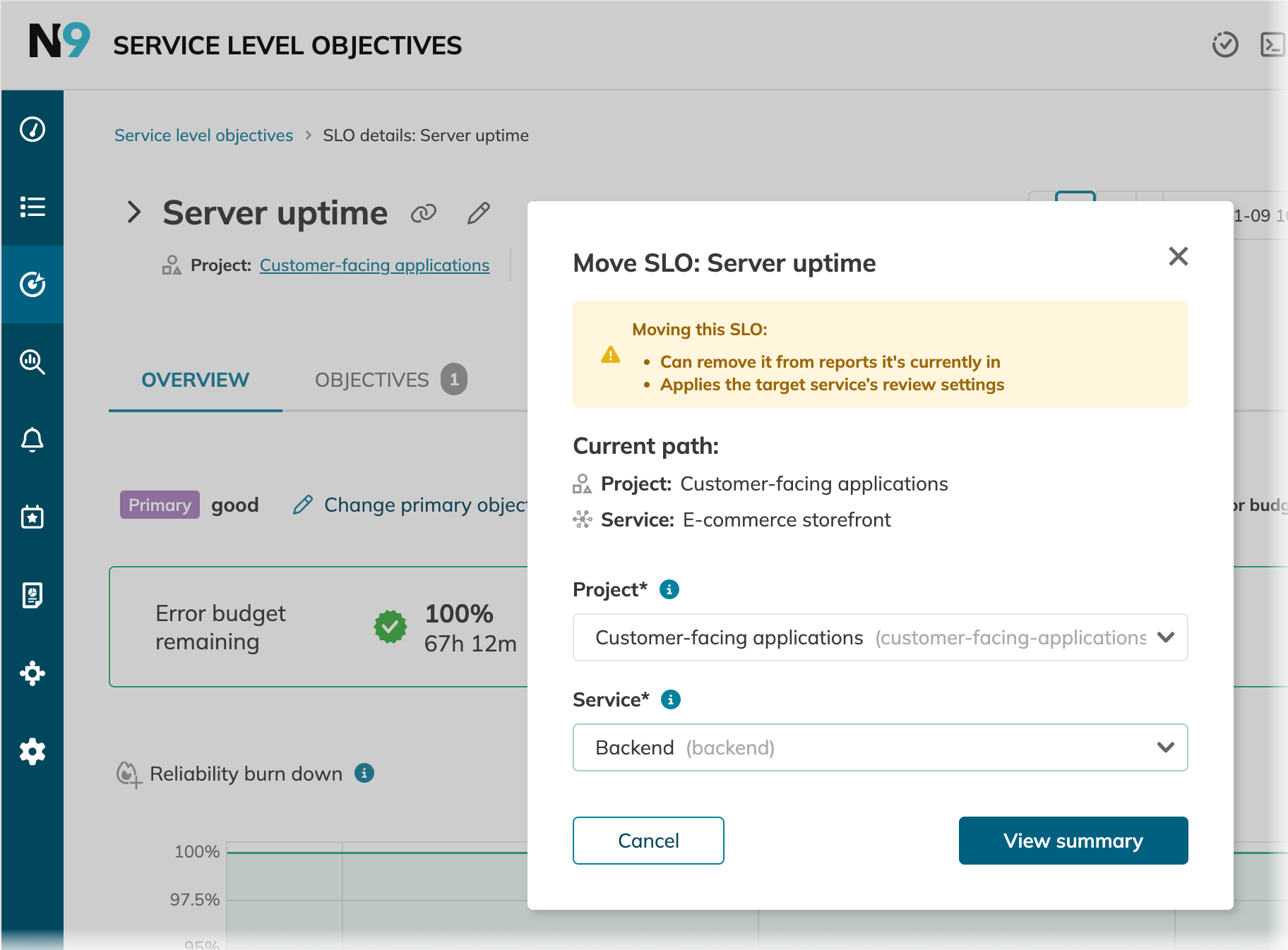
Reorganize your SLOs with confidence, knowing that critical links and alerts will remain stable.
improved Search functionality in Reports
Navigating a long list of reports is now much faster. We've added a search bar to the Reports section to help you find what you need in an instant.
Start typing a keyword from a report's name, and the list will filter as you type. It’s a small change that makes a big difference in your workflow.
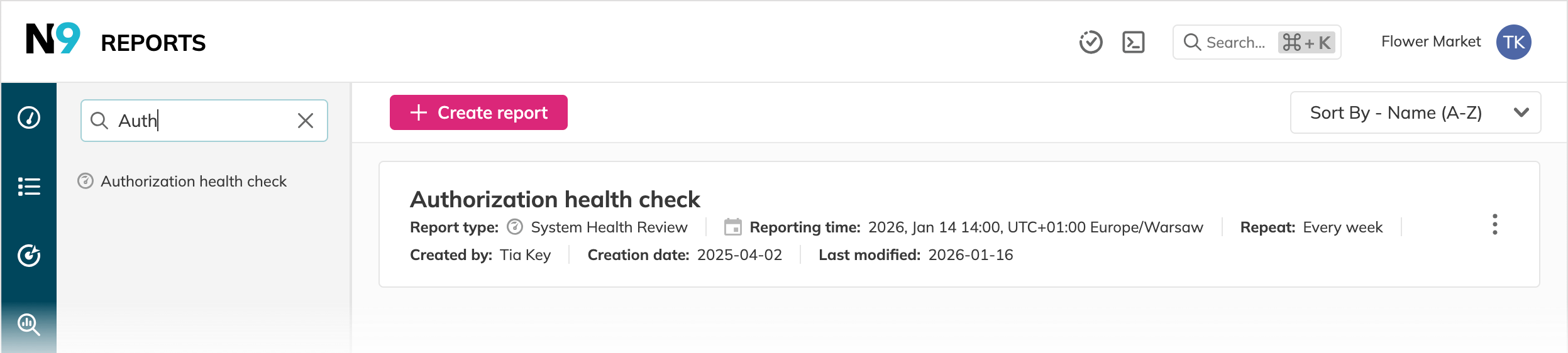
Spend less time searching and more time analyzing with instant, type-ahead search for all your reports.
improved Streamlined SLO details page
We've tidied up the SLO details page to make handling charts and objectives more straightforward. Here’s what’s new:
- Chart management relocated
The Charts option is renamed to Manage charts and is now tucked into the More actions menu for a cleaner look. - Objective selection
When an SLO has multiple objectives, the Select objectives option now appears when you're on the Objectives tab, making it easier than ever to focus your view.
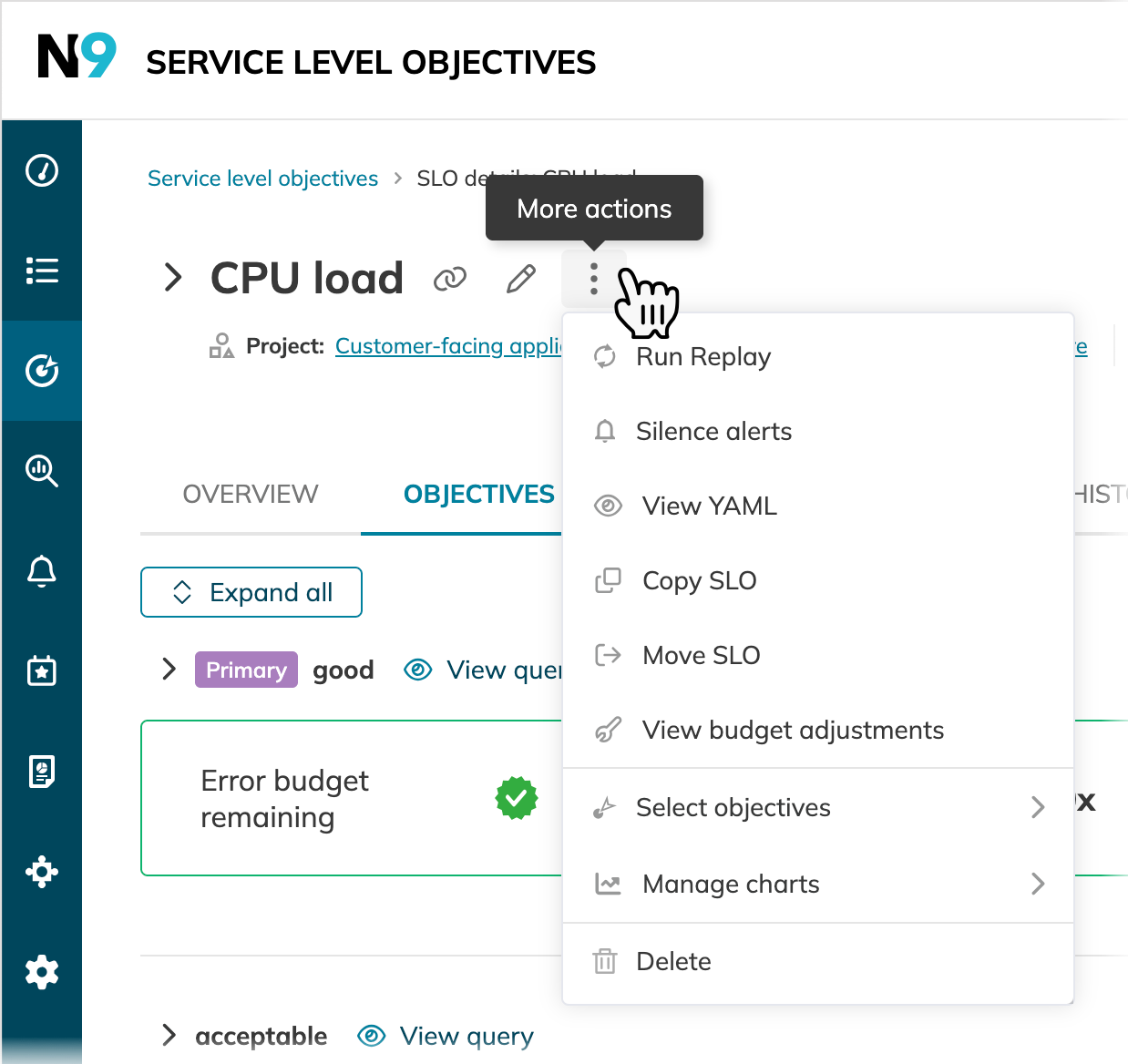
Benefit from a more streamlined workflow with a decluttered interface.
improved Optimized performance of Service health dashboard
We have reverted the "list-on-hover" feature on the Service health dashboard to a "click-to-view" model. This change addresses performance issues that were observed with large dashboards.
We are working to resolve the underlying issues and will reintroduce this feature as soon as it meets our performance standards.