Nobl9 application (1.175.0)
Release details
new Filter and search in Reliability Roll-up reports
Reliability Roll-up reports can span dozens of folders and resources. To make large reports easier to navigate, you can now search, filter, and sort the reliability drill-down tree without modifying the underlying report scope.
Search
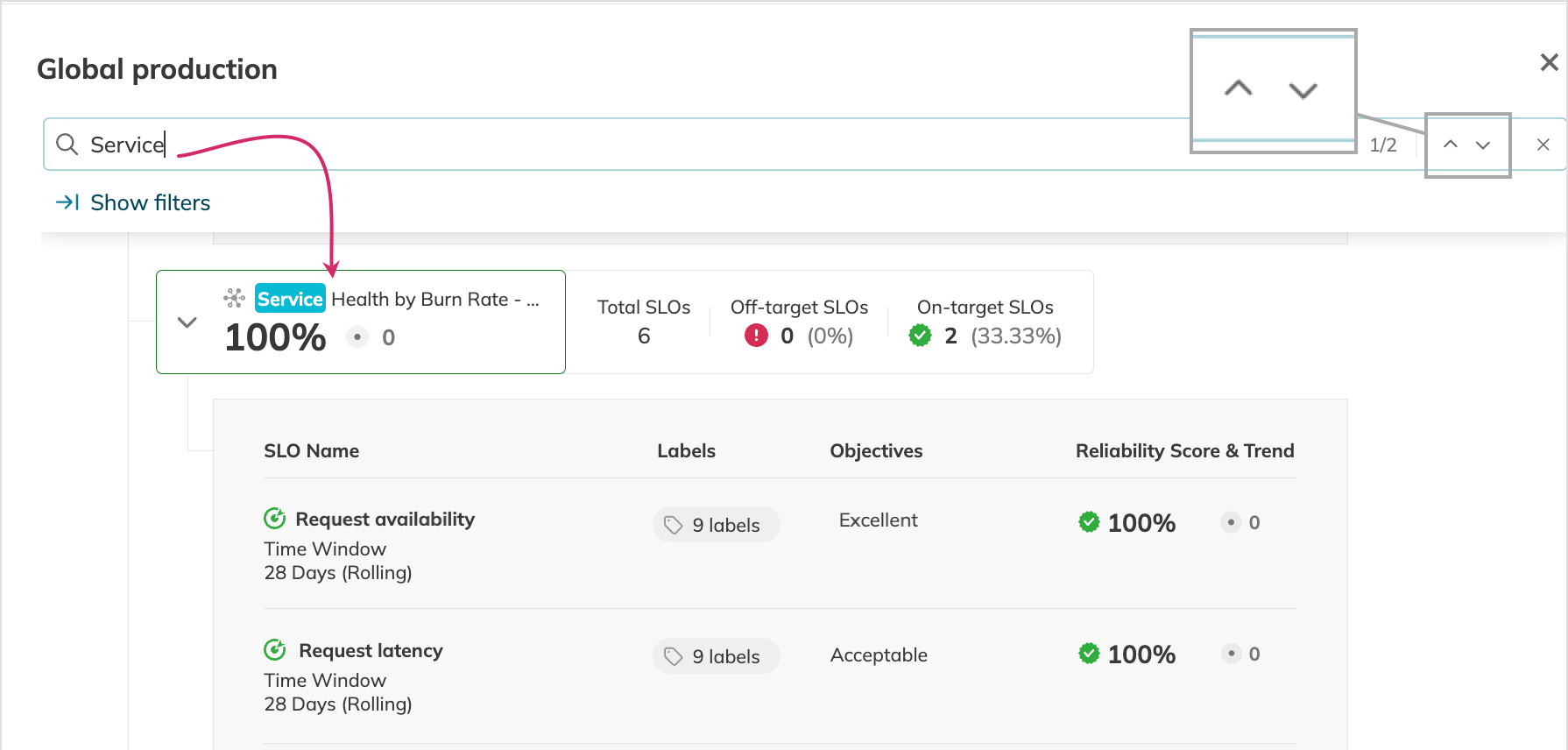
In the Find in report field, enter your search phrase. The search highlights matches, expands the first matching folder, and lets you jump between results using Enter or the arrow buttons. Search requires at least three characters and is case-insensitive.
Filters
Click Show filters to narrow the drill-down view by:
- Text to display only resources containing the entered string (min. three characters, case-insensitive)
- Labels to view resources with the labels attached to the resources in the report
- SLO adherence to focus on off-target or on-target SLOs, or on SLOs with no data available
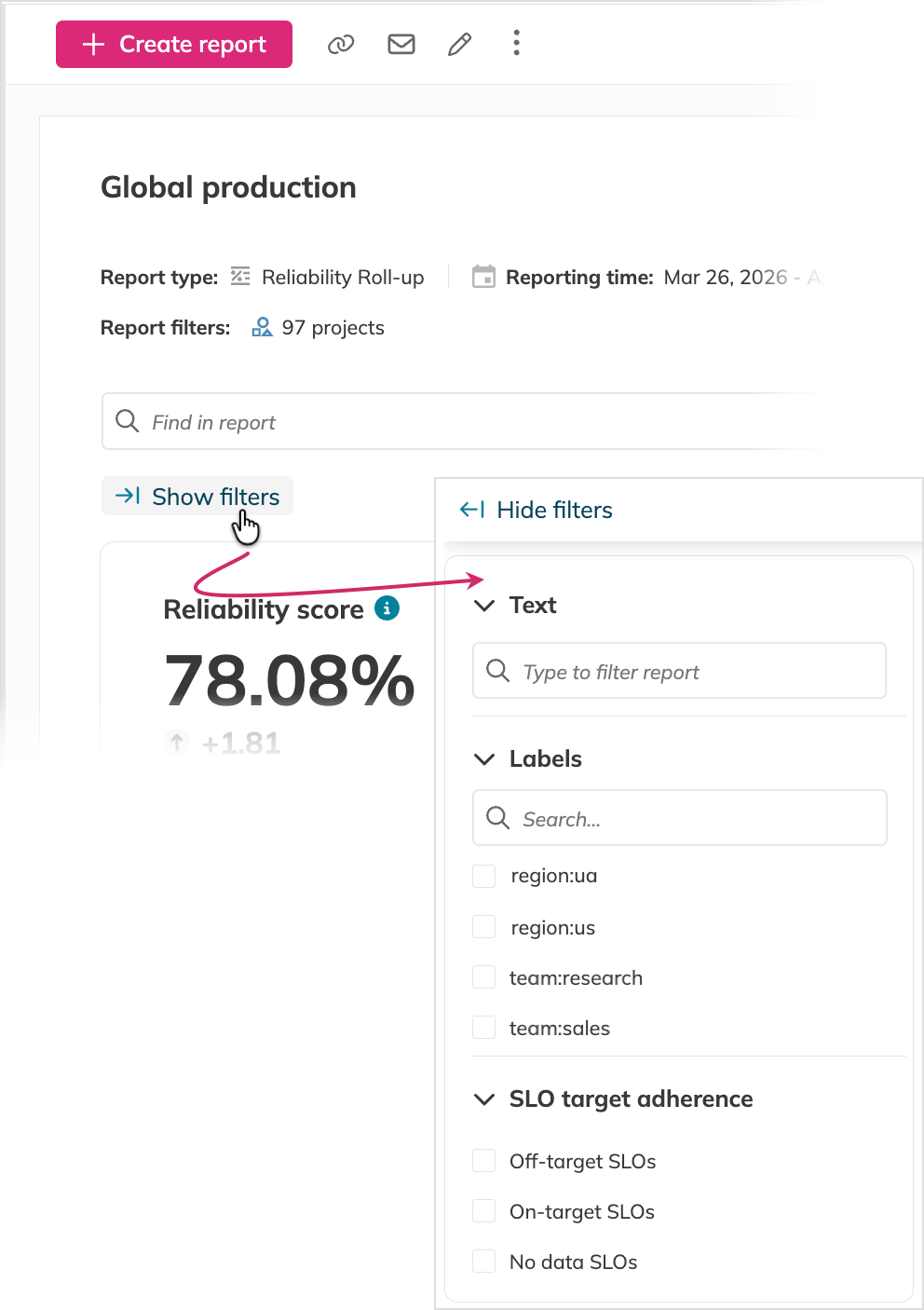
The Statistics block updates automatically to reflect the scores of the filtered resources.
Sorting
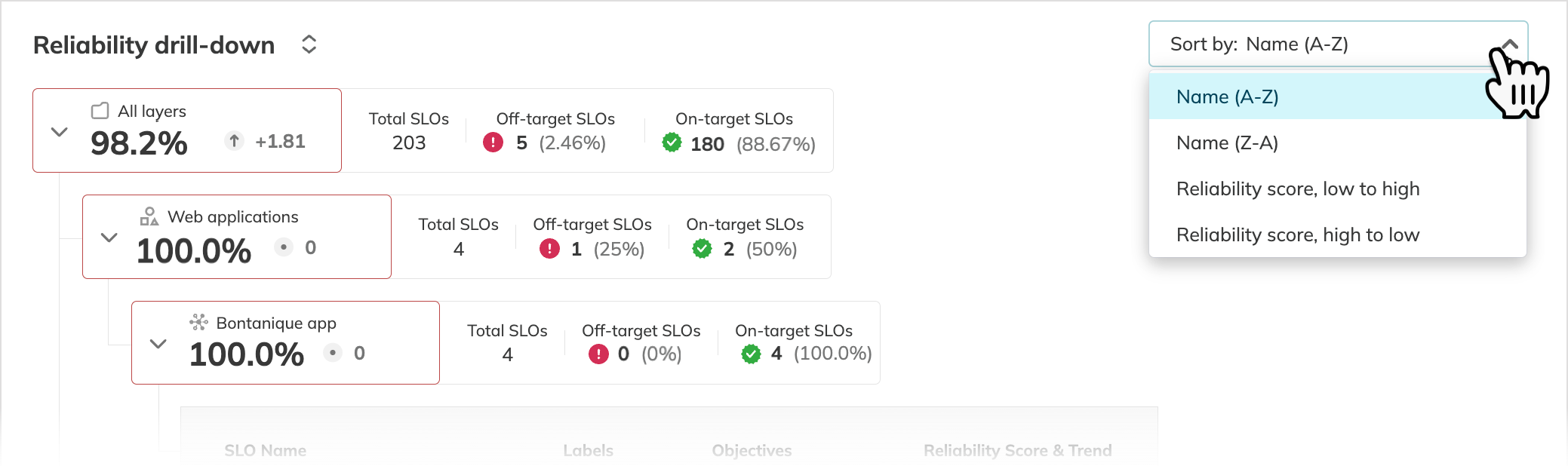
Sort the reliability drill-down tree by Name or Reliability score, in ascending or descending order. Sorting applies recursively from the topmost to the deepest layers. For Custom reports, Original order is also available to restore the structure defined at report creation.
Shareable filtered views
All view settings—search terms, filters, and sorting—are persisted in the URL. Copy and share the URL to give teammates a direct link to your current filtered view.