Nobl9 application (1.161.0)
Release details
improved Refined SLO metadata block
The SLO metadata block, the gray collapsible area on the SLO details page, is now packed with even more information. It's organized into sections, making it easier to find key information about the SLO, including:
- SLO name and description
- SLO creation and update details
- Responsible users for the SLO's service
- SLO configuration—time window, budgeting method, data source and its parameters
- Review summary
- References and context with any additional labels or links
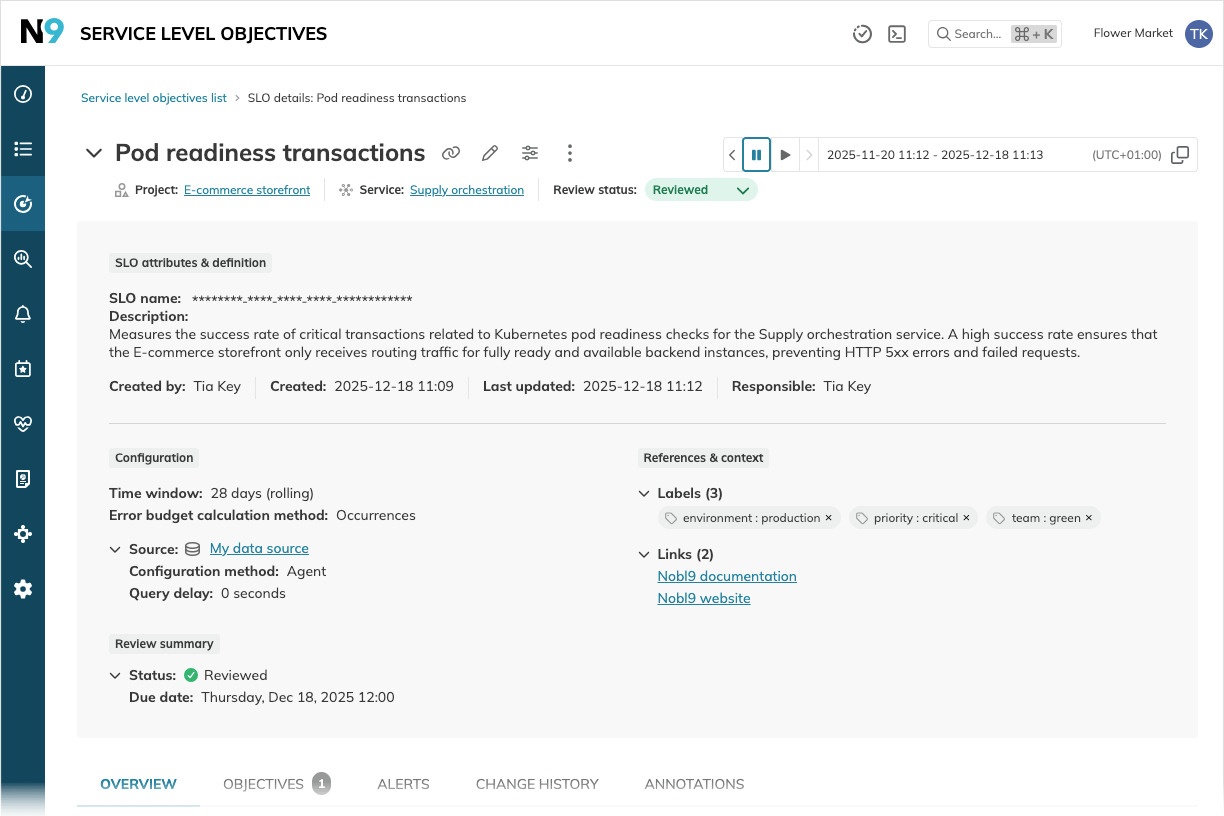
Get the full story of your SLO, faster. The new structured view puts all key details at your fingertips, helping you spend less time digging for information and more time making data-driven decisions.
improved Replay's default period matches SLO time window
Now, when you trigger a Replay, the pre-selected period defaults to the SLO's entire time window. You can still adjust the period manually or proceed with the suggested default.
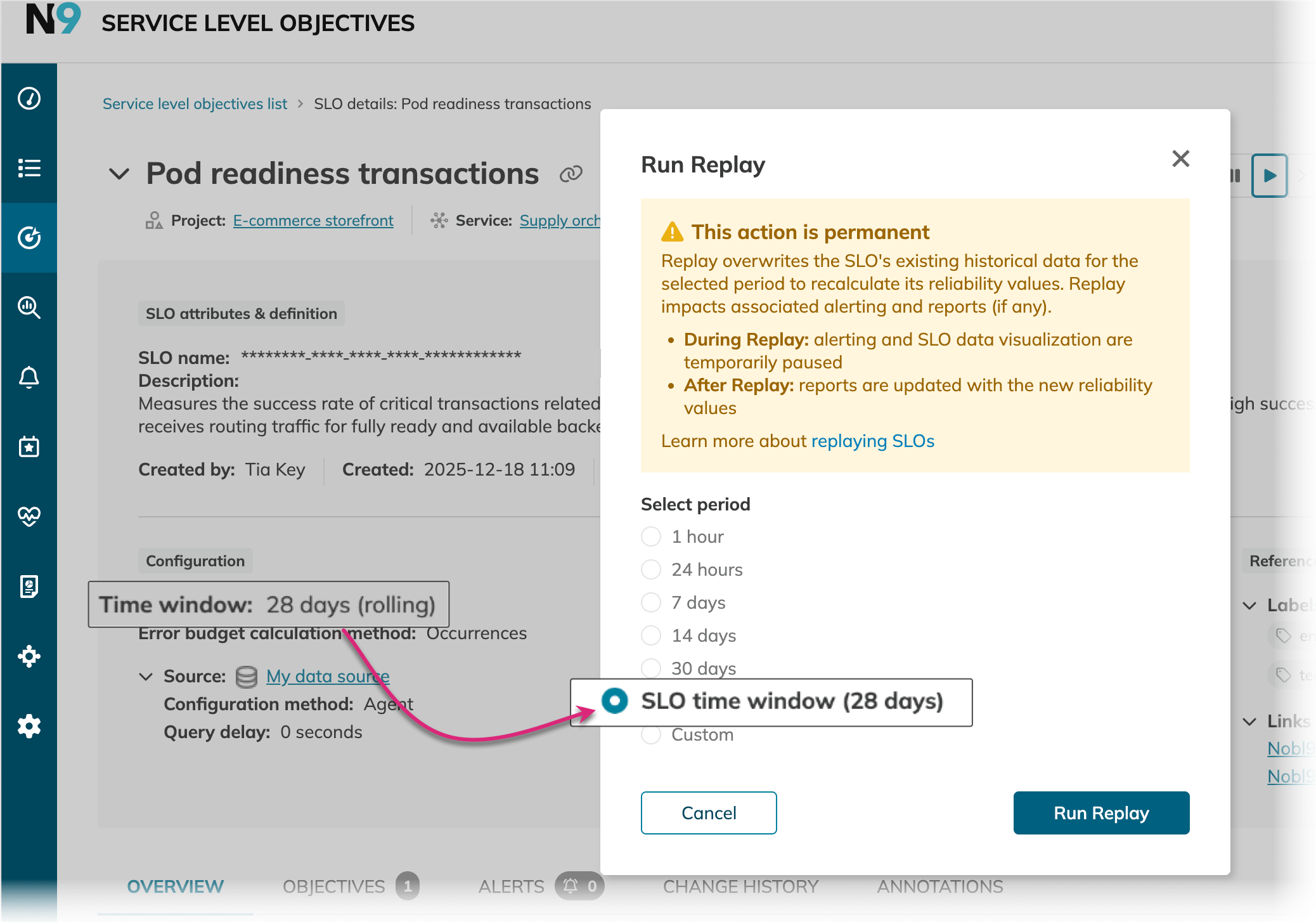
The period for historical data retrieval defines how far back in the past your data will be retrieved when you replay an SLO. Keep in mind that a longer period can extend the data loading time.